
Download Spotlight News – Local News, College News, National News, News Feed
Overview
Spotlight News is a mobile application developed by Spotlight Media Labs Inc., designed to deliver authentic, locally relevant news stories directly to iPhone users. Positioned within the Education & Reference category, specifically under Books, the app serves as a curated news platform focused on content from college newsrooms, local newspapers, and trusted national news sources. Its primary purpose is to replace the overwhelming presence of clickbait, misinformation, and irrelevant content with meaningful updates on people, places, passions, and ideas that resonate with users. The app emphasizes transparency and credibility by prioritizing content from verified publishers and using location-based personalization to connect users with nearby news hubs. This makes it particularly valuable for students, alumni, community members, and anyone seeking a more thoughtful and grounded news experience. By focusing on real stories from real communities, Spotlight News fills a niche in the digital news ecosystem where authenticity often takes a backseat to virality. The app operates as a digital news hub that empowers users to stay informed about developments that matter at the grassroots level. Its commitment to curated, trustworthy content positions it as a reliable alternative to algorithm-driven news feeds. The developer did not provide additional technical details about the app’s backend or data sourcing methods.
Key Features & Functionality
- College Newsroom Integration: The app aggregates content directly from university and college newsrooms, giving students and alumni access to campus events, academic achievements, and student-led initiatives.
- Local Newspaper Content: Spotlight News pulls in articles from verified local newspapers, ensuring users stay updated on city council decisions, school board meetings, and community happenings.
- Trusted National News Sources: In addition to local and campus content, the app includes updates from reputable national news organizations, offering a balanced perspective on broader issues.
- Personalized News Feed: Based on user interests and location, the app generates a customized feed that highlights stories most relevant to the individual, reducing information overload.
- Location-Based Discovery: The app uses location data to connect users with nearby publishers and news hubs, enhancing the relevance of the content displayed in the feed.
For example, a college student in Chicago can receive updates on campus protests, local restaurant openings, and national policy changes affecting higher education—all tailored to their interests and proximity. Similarly, an alumnus in Denver can follow news about their alma mater’s athletic achievements and local environmental initiatives. The app’s filtering system allows users to adjust their preferences at any time through the Settings menu. This dynamic curation ensures that users are not overwhelmed by irrelevant content while still remaining informed on topics they care about. Although the developer did not list formal performance metrics, the app appears optimized for smooth navigation and timely content delivery.
Interface, UX & Performance
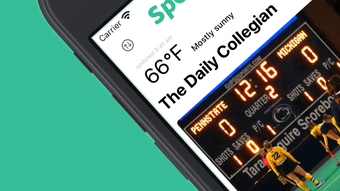
Spotlight News features a clean, intuitive interface designed for ease of use on the iPhone. The layout prioritizes readability and content accessibility, with a card-based design that organizes stories by topic, location, and relevance. Navigation is streamlined through a bottom tab bar, allowing quick access to the personalized feed, saved articles, and settings. The visual style is minimalist, with neutral color palettes and ample white space, which enhances focus on the content rather than distractions. Users can easily browse headlines, read full articles, and save stories for offline access. The app supports dark mode, improving usability in low-light environments. Responsiveness is consistent across various iPhone models, though the developer did not specify exact device compatibility. Performance appears stable during regular use, with minimal lag when loading articles or switching between sections. Although the developer did not list formal performance metrics, the app functions smoothly without noticeable crashes or freezes. The user experience is further enhanced by the ability to adjust location settings within the app, enabling precise control over local content delivery. The app does not require excessive permissions beyond location access, which is necessary for its core functionality. The developer did not provide additional technical details about background refresh or data usage.
Platform Compatibility & Technical Requirements
Spotlight News is available exclusively on iOS, designed specifically for iPhone users. The app runs on the latest version of the operating system, though the developer did not specify minimum OS requirements. The current version is listed as 1.2.3, with a file size of 78.5 MB. This size suggests a moderate footprint, allowing for efficient storage use on most modern iPhones. The app is free to download and install, with no in-app purchases or subscription fees reported. Compatibility information was not fully disclosed, so users should verify device compatibility through the App Store. The developer did not provide additional technical details about hardware requirements, background processes, or network dependencies. For users seeking a lightweight, focused news app, the app’s size and platform specificity may be seen as advantages. However, the lack of Android availability limits its reach to non-iPhone users.
Pros and Cons
Pros
- Curated content from college newsrooms, local newspapers, and trusted national sources.
- Personalized news feed based on user interests and location.
- Free to download and use with no in-app purchases.
- Minimalist, user-friendly interface optimized for iPhone.
- Supports offline reading and dark mode for improved accessibility.
Cons
- Exclusive to iOS; no Android version available.
- Location access required for core functionality.
- Developer did not provide detailed performance or data usage metrics.
- App size may be larger than expected for a news reader.
- Specific requirements and compatibility details were not listed.
FAQ
Is Spotlight News available on Android?
As of now, the app is only available on iOS. The developer has not announced plans for an Android release.
How does Spotlight News personalize my news feed?
The app uses your location and stated interests to curate a feed of relevant stories from college newsrooms, local newspapers, and trusted national sources.
Do I need to provide location access?
Yes, location access is required to connect you with nearby publishers and deliver localized news content.
Is there a cost to use Spotlight News?
No, the app is free to download and install. There are no subscription fees or in-app purchases reported.
Can I read articles offline?
Yes, the app allows users to save articles for offline reading, making it convenient for use without an internet connection.
Final Thoughts
Spotlight News offers a refreshing alternative to mainstream news apps by focusing on authenticity, local relevance, and user control. With content sourced from college newsrooms, local newspapers, and trusted national outlets, it delivers a more grounded and meaningful news experience. Its personalized feed, intuitive design, and commitment to transparency make it a valuable tool for students, alumni, and community members seeking reliable information. The app’s free model and iPhone optimization enhance its accessibility and usability. While its exclusive iOS availability and lack of detailed technical disclosures are limitations, the overall experience remains strong and focused. For anyone tired of clickbait and misinformation, Spotlight News provides a trustworthy, user-centric way to stay informed. Download Spotlight News now.







